
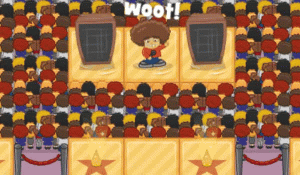
Gatekeeper Command: Tactical Defense
Developer: Smart Labs
Published: 2026-07-21
Updated: 2026-07-21
Reviews
Gatekeeper Command: Tactical Defense stands out for its balance of simplicity and depth. The unit upgrade system lets you tailor your approach, while support gadgets add strategic layers. Enemy variety forces constant adaptation, preventing the gameplay from feeling stale. The clean interface works well on multiple devices, making it easy to pick up for short sessions or extended play. It is a solid choice for fans of the genre who enjoy refining their tactics over time.
Description
Core Defense Mechanics
Gatekeeper Command: Tactical Defense places players in control of a vital checkpoint. The main goal is to prevent opposing forces from breaking through. Players select from various defender types, each offering distinct capabilities. These units are positioned along the path to intercept incoming threats. As waves progress, the composition of attackers changes, requiring thoughtful adjustments to the defensive line. The system rewards those who study enemy patterns and respond with precise placements.
Unit Enhancement System
Defenders can be improved over time through a progression system. By earning points during play, players invest in making their chosen units more resilient or effective. This allows for a personalized approach to fortification. Some may prefer focusing on a few powerful units, while others might spread upgrades across a wider array. The choice impacts how well the defense holds against later, more demanding waves.
Support Tools and Gadgets
Beyond standard units, players have access to special equipment that can turn the tide. Area-effect tools clear clusters of enemies, while freezing devices slow down fast-moving groups. These items are deployed at key moments to relieve pressure on the main defense. Managing when and where to use these resources is a critical part of the strategy. Using them too early or without purpose can leave gaps in the defense.
Difficulty and Adaptation
Each successive wave introduces new challenges. Enemy types may vary in speed, durability, or formation. Players must observe these changes and modify their defensive layout accordingly. What works in the early stages may become ineffective later. This constant need for adaptation keeps the experience engaging and prevents it from becoming repetitive. The game tests both quick thinking and long-term planning.
Control and Accessibility
The interface is designed for ease of use across platforms. Keyboard shortcuts allow for rapid unit placement and item deployment. Mouse controls offer an alternative for those who prefer point-and-click. A pause function lets players assess the battlefield without pressure. These features make the game approachable for newcomers while still offering depth for experienced strategists.
Compatibility
▸ Desktop: Chrome / Edge / Firefox / Safari
▸ Mobile: iOS Safari / Android Chrome
▸ Tablet: iPadOS Safari / Android Tablet Browser
Keep your browser updated for the best experience
Faq
What platforms is Gatekeeper Command: Tactical Defense available on?
Gatekeeper Command: Tactical Defense can be played on web browsers and through Steam. The controls are optimized for both desktop computers and mobile devices, making it accessible whether you are at home or on the go.
How do I unlock new defender types in Gatekeeper Command?
New defender types become available as you progress through the game. By successfully holding the line against increasing waves, you earn opportunities to add different units to your roster. Each type brings a unique ability that can be upgraded further.
Is there an end to the waves in Gatekeeper Command?
The game features an endless wave system, meaning there is no final level. The challenge continues indefinitely, with enemy forces becoming progressively tougher. This design encourages players to refine their strategies and see how long they can maintain their defense.
Can I pause the game during a wave in Gatekeeper Command?
Yes, the game includes a pause function that allows you to stop the action at any time. This is useful for planning your next move, repositioning units, or deciding when to use support gadgets without the pressure of ongoing combat.
What happens if an enemy reaches the gate in Gatekeeper Command?
If any enemy makes it past your defenses and reaches the gate, it is considered a breach. The game tracks how many enemies get through, and allowing too many can end your run. Preventing these breaches is the primary objective of each wave.
Are there different difficulty settings in Gatekeeper Command?
The game does not explicitly offer selectable difficulty modes. Instead, the challenge naturally escalates as waves progress. Early waves are easier, giving new players time to learn, while later waves require more precise planning and resource management.

Player Comments
Sign in to comment
You must be logged in before posting a review or rating.
No account? Create one
No comments yet. Be the first to comment!