

Teamwork Tactics Adventure
Developer: Infinite Fun Labs
Published: 2026-07-21
Updated: 2026-07-21
Reviews
Teamwork Tactics Adventure stands out for its emphasis on genuine cooperation rather than competition. The puzzles are well-crafted to require real communication, making each victory a shared triumph. The absence of violence or time pressure creates a relaxed atmosphere where players of all ages can contribute. Its browser-based nature and cross-device compatibility mean it is always ready to play. For families seeking a constructive and entertaining way to spend time together, this game delivers a rewarding experience.
Description
Core Coordination Mechanics
At its heart, Teamwork Tactics Adventure revolves around players working together to navigate through a series of interactive puzzles. Each participant controls an on-screen character using simple mouse clicks or touch inputs. The primary challenge lies in timing movements and actions so that everyone progresses simultaneously. Unlike solo games, here success depends on how well the group communicates and divides responsibilities. For instance, one player might need to hold a switch while another crosses a bridge, requiring precise coordination. The game gently introduces these concepts, making it accessible even for those new to strategy games.
Level Design Philosophy
The game presents a variety of stages, each with a unique theme and set of obstacles. Early levels focus on basic cooperation, such as moving blocks to create paths. Later stages introduce moving hazards and timed elements that require faster decision-making. The difficulty curve is carefully balanced to keep all ages engaged without becoming frustrating. Visual cues and subtle hints guide players without giving away solutions, encouraging creative problem-solving. This design ensures that each completed level feels like a genuine team achievement.
Accessibility and Platform Support
Teamwork Tactics Adventure runs directly in any modern web browser, meaning there is no software to install. It is fully optimized for both desktop computers and mobile devices, including tablets and smartphones. Touch controls are responsive, and the interface scales automatically to fit different screen sizes. A full-screen mode is available to minimize distractions, which is particularly useful for group play on a shared screen. This flexibility allows families to play together whether they are at home on a computer or on the go with a tablet.
Family-Friendly Atmosphere
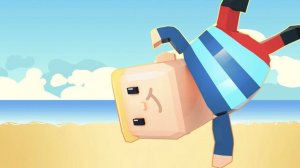
The game maintains a lighthearted and safe environment suitable for all ages. Characters are cartoonish and friendly, and obstacles are presented as playful challenges rather than threats. There is no violent content, and the focus remains on positive teamwork and shared fun. The art style uses bright colors and simple animations that appeal to younger players, while the strategic depth keeps older participants interested. This makes it an ideal choice for family game nights or casual get-togethers where everyone can participate without concerns about inappropriate material.
Compatibility
• OS: Windows 10+, macOS 11+, iOS 14+, Android 10+
• Browsers: Chrome 100+, Safari 15+, Edge 100+, Firefox 100+
• Not compatible with Internet Explorer
Tested on real devices ✅ works as expected
Faq
Can I play Teamwork Tactics Adventure alone, or do I need other people?
The game is designed specifically for cooperative play with at least two participants. While a single-player mode is not available, you can easily invite family members or friends to join. The puzzles require multiple people to solve, so playing alone would not be possible.
Is there a time limit for completing each level?
Most levels do not have a strict time limit, allowing teams to discuss strategies at their own pace. However, some later stages may include moving obstacles that require timely actions. The focus is on thoughtful coordination rather than speed.
Does the game save progress if I need to take a break?
Since the game is browser-based, progress is typically saved locally in your browser's storage. You can close the game and return later to continue from where you left off, provided you use the same device and browser.
How many players can join a single game session?
The game supports two to four players in a single session. This range keeps coordination manageable while still allowing larger family groups to participate. Each player controls their own character on the screen.
Are there any in-app purchases or hidden costs?
No, Teamwork Tactics Adventure is completely free to play with no in-app purchases, subscriptions, or advertisements that interrupt gameplay. All levels and features are accessible without any payment, making it a truly free family activity.
What should I do if the game runs slowly on my device?
Ensure your browser is updated to the latest version. Closing other tabs or applications can free up system resources. Using full-screen mode may also improve performance. The game is optimized for most modern devices, but older hardware might experience minor slowdowns.




Player Comments
Sign in to comment
You must be logged in before posting a review or rating.
No account? Create one
No comments yet. Be the first to comment!