Description
Game Introduction
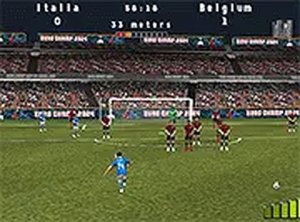
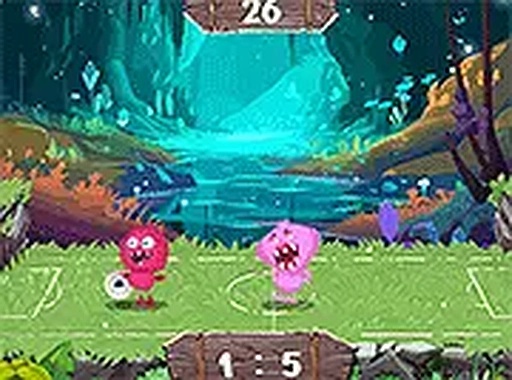
Fantasy Soccer Sports Game is a playful sports game that combines classic soccer with friendly, imaginative characters. The main goal is to score more goals than your opponent by controlling a character to kick the ball into the opposing net. What makes this game special is its cheerful, fantasy-themed setting, which makes it accessible and fun for players of all ages. The game is designed for quick, lighthearted matches, whether you are a soccer enthusiast or just looking for a casual gaming experience. It runs directly in your browser with no downloads required, and supports both mobile and desktop devices for convenient play. The friendly characters and colorful field create a welcoming atmosphere that encourages repeated play.
How to Play
To play Fantasy Soccer Sports Game, you control your character to move around the field and kick the ball toward the opponent's goal. The game supports two-player mode, allowing you to compete against a friend or family member, or you can play against the AI for a solo challenge. Controls are intuitive, typically using keyboard keys or touch inputs to move and perform kicks. The objective is straightforward: score more goals than your opponent within the time limit. The simple controls make it easy for players of all skill levels to jump in and enjoy a match.
Game Features
Fantasy Soccer Sports Game includes fun soccer matches with friendly characters. It offers both multiplayer and AI modes, so you can play with a friend or practice alone. The game is accessible on both mobile and desktop devices, with no download required—play directly in your browser. It also features a full screen mode for a more immersive experience. The controls are designed to be simple and suitable for all ages, making it a family-friendly option for quick gaming sessions.
Tips for Success
To improve your performance in Fantasy Soccer Sports Game, practice moving your character and timing your kicks to aim accurately. Pay attention to your opponent's movements and try to anticipate where the ball will go. If playing against the AI, observe its patterns to find weaknesses. In two-player mode, communication with your teammate can help coordinate attacks. Regular practice will help you master the controls and develop better strategies for scoring goals.