Planetary Motion Simulator: Educational Tool

Planetary Motion Simulator: Educational Tool

Educational Science
RATING
Developer: Barbarian Studio
Published: 2024-10-27
Updated: 2026-07-04

Reviews

Planetary Motion Simulator offers a clean, intuitive way to learn about orbital mechanics. Its adjustable speed and zoom controls make it easy to see how planets move at different rates. The lack of scores or time limits creates a relaxing environment ideal for focused study. A valuable resource for classrooms or personal exploration.

Description

Game Introduction

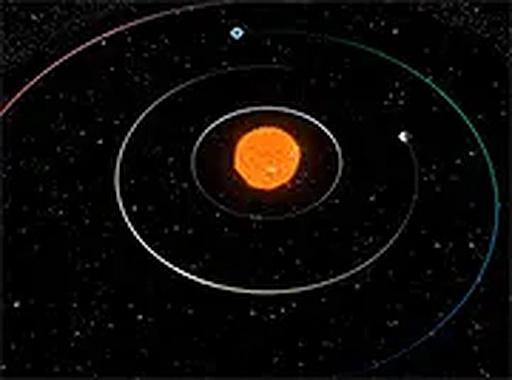
Planetary Motion Simulator: Educational Tool is a browser-based application designed to help users understand how planets move around the sun. It uses realistic physics to model orbital paths, allowing observation of celestial motion over time. Unlike action-oriented games, this simulator has no scores, enemies, or time limits. The primary purpose is to provide a relaxing and informative experience for students, teachers, and anyone curious about astronomy. Users can watch each planet travel along its orbit at different speeds, gaining insight into the dynamics of our solar system. The simulation emphasizes learning through observation, making complex concepts accessible without pressure. It is a clean, educational interface suitable for all ages.

How to Play

Using Planetary Motion Simulator is straightforward. Users can click and drag to rotate their view of the solar system, and scroll to zoom in and out for closer inspection of individual planets or a wide perspective. Keyboard controls allow for smooth panning and adjusting the simulation speed, making it easy to observe long-term orbital patterns in seconds or focus on a single moment. The interface is intuitive, so users can start exploring immediately without a tutorial. No downloads or installations are required, as it runs directly in a web browser.

Game Features

Features include a realistic orbital simulation for all major planets, free browser-based play with no downloads required, and intuitive mouse and keyboard controls for zooming, rotating, and panning. The simulation speed is adjustable to see long-term patterns, and a pause function allows for detailed observation. The clean, educational interface is suitable for all ages, and the tool works on modern desktop browsers like Chrome, Firefox, and Edge.

Tips for Success

To get the most out of Planetary Motion Simulator, take time to explore each planet individually by zooming in and rotating the view. Experiment with the speed controls to see how inner planets orbit faster than outer ones, and use the pause function to study specific alignments. Regular observation helps build an intuitive understanding of orbital mechanics, making the experience both educational and enjoyable.


Compatibility

Play on Any Device | Chrome / Safari / Edge Recommended
Faq
Is Planetary Motion Simulator free to use?
Yes, the simulator is completely free to use. There are no hidden fees, subscriptions, or in-app purchases required. It runs directly in your browser without any downloads or installations.
Does the simulator include all planets in the solar system?
The simulator models the orbital paths of all major planets. Users can observe each planet's movement around the sun, including differences in orbital speed and distance. Specific details about dwarf planets or moons are not mentioned in the available information.
Can I use this simulator on a tablet or smartphone?
The simulator is designed for modern desktop browsers like Chrome, Firefox, and Edge. It may not be optimized for touch-screen devices or smaller screens. For the best experience, use a desktop computer or laptop.
What age group is this simulator suitable for?
The simulator is suitable for all ages. Its clean, educational interface and lack of complex controls make it accessible for students, teachers, and anyone curious about astronomy. Younger children may need initial guidance to understand the concepts.
How accurate is the orbital simulation?
The simulator uses realistic physics to model planetary motion, providing an accurate representation of orbital mechanics. However, it is an educational tool and may not include every astronomical detail. It focuses on making core concepts clear and understandable.
Does the simulator include any sound or music?
The available information does not mention any sound or music features. The simulator likely focuses on visual clarity and educational content, with a quiet interface that allows users to concentrate on observing planetary motion.
Advertisement