Studio Manager: Game Development Tycoon

Studio Manager: Game Development Tycoon

Simulation Strategy
RATING
Developer: Brown Veil Digital
Published: 2025-03-31
Updated: 2026-07-04

Reviews

Studio Manager: Game Development Tycoon offers a satisfying blend of resource management and strategic planning. The offline earnings feature keeps you engaged even when away. The research tree and market trends add layers of depth, making each playthrough unique. It is a must-try for fans of business sims.

Description

Game Introduction

Studio Manager: Game Development Tycoon puts you in control of a game development studio. You begin with a small team and limited resources. Your main objective is to select game concepts from different genres and themes. As you assign tasks and manage budgets, your team works to complete projects. Each released game earns revenue, which you can reinvest into better equipment, larger offices, and new research options. The game continues to progress even when you are not playing, so you can return to make key decisions and watch your studio grow. With multiple paths to success, every playthrough offers a fresh challenge.

How to Play

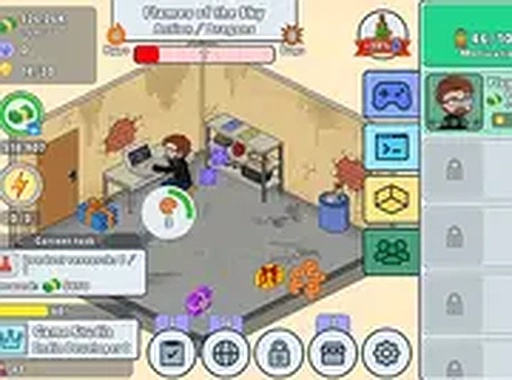
To play, first choose a game concept that matches your available resources. Assign team members to development tasks such as coding, art, and sound. Monitor the progress bar and adjust budgets to keep work on track. When a game launches, it earns income based on its quality and market fit. Use that income to upgrade your studio, unlock new technologies, and experiment with different genre and platform combinations. The interface shows clear metrics for revenue, team morale, and project status, helping you plan your next move. You can check in anytime to collect earnings and set new goals.

Game Features

Core features include a deep research tree that unlocks advanced game mechanics. Multiple upgrade paths for studio equipment and staff training. A live market simulation that responds to genre trends. Offline earnings so progress continues between sessions. Simple drag-and-drop management for team assignments. Clean visual design with easy-to-read charts and notifications. Regular content updates add new genres and events.

Tips for Success

Focus on balancing your budget between development and upgrades. Keep an eye on market trends to choose genres that are in demand. Invest in research early to unlock better game mechanics. Monitor team morale and adjust assignments to avoid burnout. Check in regularly to collect offline earnings and make strategic decisions. Experiment with different genre and platform combinations to find what works best.


Compatibility

▸ Desktop: Chrome / Edge / Firefox / Safari
▸ Mobile: iOS Safari / Android Chrome
▸ Tablet: iPadOS Safari / Android Tablet Browser
Keep your browser updated for the best experience
Faq
Can I play Studio Manager: Game Development Tycoon on mobile devices?
The game is designed for desktop play, but some features may be accessible on tablets. Check the official store page for specific platform availability and system requirements.
Is there a tutorial to help new players get started?
Yes, the game includes a tutorial that guides you through the basics of selecting concepts, assigning tasks, and managing budgets. It helps you understand the core mechanics before you take full control.
How often are new genres or events added to the game?
The developers release regular content updates that introduce new genres, themes, and special events. These updates keep the market simulation fresh and provide new challenges for your studio.
Can I customize my studio's name and appearance?
Yes, you can personalize your studio with a custom name and choose from various visual themes for your office. This allows you to create a unique identity for your development team.
Does the game support saving progress across multiple sessions?
Yes, your progress is automatically saved. You can return to your studio at any time to collect offline earnings and make strategic decisions without losing your previous work.
Are there any in-game purchases or expansions available?
The base game includes a full experience. Optional expansions or cosmetic packs may be available for purchase, but they are not required to enjoy the core gameplay or achieve success.
Advertisement