Kogama Land Tycoon: Building Sim

Kogama Land Tycoon: Building Sim

Simulation Building
RATING
Developer: Warlock Shift Studio
Published: 2024-11-03
Updated: 2026-06-06

Reviews

Kogama: Land Tycoon! offers a stress-free sandbox experience focused on creativity. The blueprint system is straightforward, allowing you to quickly place buildings and decorations. Playing with friends adds a cooperative layer that enhances the fun. The game has good replayability as you can always redesign your town in new ways. It is a solid choice for casual players who enjoy building without competition.

Description

Game Introduction

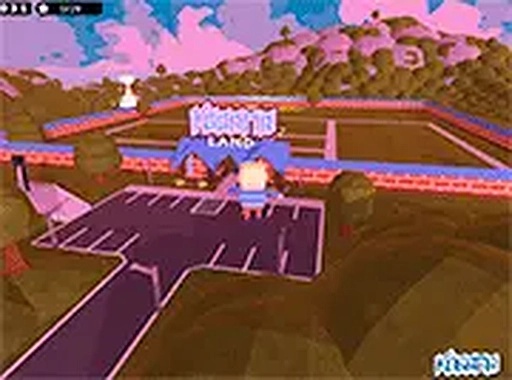
Kogama: Land Tycoon! is an online multiplayer sandbox game where players build and manage a small town on a beautiful island. The core objective is to use blueprints to construct various buildings and structures, transforming a simple area into a bustling community. What makes it unique is the combination of creative freedom and cooperative play, allowing you to design at your own pace without competitive pressure. It is a relaxing simulation experience suitable for all ages, running smoothly in your browser.

How to Play

To play, open the game in your browser on a desktop computer. Use your mouse to navigate the interface and select blueprints from the menu. Each blueprint represents a different type of construction, such as houses, shops, or decorations. Click on a blueprint to place it on the island and adjust its position as needed. You can invite friends to join your session for collaborative building. The controls are intuitive, with no time limits or scoring systems, so you can focus purely on creativity and fun.

Game Features

Key features include free-to-play access, multiplayer mode for cooperative building, and blueprint-based construction with a variety of options. The game supports full screen for an immersive view and offers family-friendly content suitable for all ages. The simple mechanics and vibrant graphics make it accessible, while the sandbox style encourages experimentation and personal expression in town design.

Tips for Success

Start by placing a few basic structures to establish your town's layout. Experiment with different blueprint combinations to create a unique look. Collaborate with friends to share ideas and build faster. Take your time exploring the available blueprints to discover creative possibilities. Since there is no pressure, focus on enjoying the process and gradually expanding your community.

Compatibility


💻 Desktop | 📱 Mobile | 📟 Tablet – All supported · Best with Chrome or Safari

Faq
Is Kogama: Land Tycoon! free to play?
Yes, the game is free to play. You can access it directly in your browser without any cost. There may be optional in-game purchases, but the core building experience is available at no charge.
Can I play Kogama: Land Tycoon! on mobile devices?
The game is designed for desktop browsers, as described in the original information. It may not be optimized for mobile devices. For the best experience, play on a computer with a mouse and keyboard.
Do I need to create an account to play?
The original description does not specify account requirements. Many online browser games of this type allow guest access, but some may require a free account to save progress or play with friends. Check the game's website for details.
How many players can build together in multiplayer mode?
The original description mentions you can invite friends to join your session for collaborative building, but it does not specify a maximum number of players. Typically, such games support small groups, but exact limits may vary.
Are there any goals or objectives in the game?
No, the game has no time limits or scoring systems. It is purely a creative sandbox experience where you build at your own pace. There are no set goals, allowing you to focus on designing your town however you like.
Can I save my town and come back later?
The original description does not mention saving features. Many browser-based sandbox games offer auto-save or manual save options, but this is not confirmed. You may need to check in-game settings or the game's documentation for details.
Advertisement