Description
Game Introduction
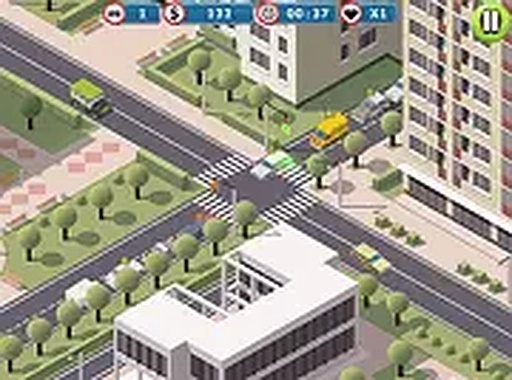
Crossroads Traffic Control Puzzle is a free online puzzle game that places you in control of a busy intersection. Your main objective is to manage traffic lights and guide vehicles safely through the crossroads without any collisions. The game combines strategic planning with quick thinking, making it suitable for players of all ages. As traffic increases, you must stay focused and make smart decisions to keep everything moving smoothly. The experience is engaging and helps develop patience and planning skills. This type of puzzle game is designed to be both relaxing and mentally stimulating, offering a rewarding challenge for anyone who enjoys logic-based activities.
How to Play
To play, you interact with the traffic lights by clicking on them to change their colors. A red light means stop, and a green light means go. Your goal is to let vehicles pass one by one without any accidents. Plan your timing carefully to avoid traffic jams. The game runs in full screen mode for a better view and adapts to both mobile and desktop devices. It starts with a few cars and gradually introduces more complex flows. Each level increases the number of vehicles and traffic speed, requiring quick thinking and alertness.
Game Features
Crossroads Traffic Control Puzzle offers simple click controls and a family-friendly experience with no violent or inappropriate content. The game is designed for short breaks and provides a relaxing yet challenging puzzle. It runs directly in your browser without downloads or installations. The full screen mode creates an immersive experience, and responsive controls work on any device. The game helps improve planning and decision-making skills. These features make it an ideal choice for casual gamers looking for a quick and engaging mental workout.
Tips for Success
To succeed in Crossroads Traffic Control Puzzle, practice regularly to get a feel for timing. Start with slower levels to understand traffic patterns. Stay calm as the pace increases, and plan your light changes ahead. Watch for gaps between cars to let multiple vehicles pass efficiently. Avoid rushing, as each decision matters. Use the full screen view to see the entire intersection. Over time, you will develop better strategies for handling busier traffic.