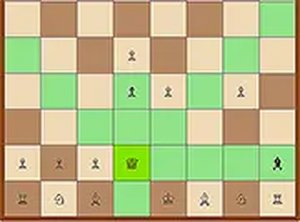
Description
Game Introduction
Mezos Chess Classic Strategy brings the timeless board game of chess to your browser with a clean and modern design. This game focuses on pure logic and strategic planning, offering a calm yet challenging environment for players of any skill level. Whether you are new to chess or an experienced player, the game provides a straightforward way to enjoy one of the world's most enduring strategy games. The core objective is to checkmate your opponent's king while protecting your own, following traditional chess rules. What makes this version special is its emphasis on clarity and ease of use, allowing you to concentrate entirely on your next move without distractions.
How to Play
To play Mezos Chess Classic Strategy, you can choose to face a computer opponent or play against a friend. The game follows standard chess rules, where each piece moves in its traditional pattern. You use your mouse or touchscreen to select and drag pieces to valid squares. The game highlights possible moves to help beginners learn the game. Your goal is to outmaneuver your opponent by controlling the center of the board, developing your pieces, and planning several moves ahead. There is no time limit, so you can think carefully before making each move. For a larger view, you can switch to full screen mode.
Game Features
Mezos Chess Classic Strategy features a modern and clean design that is easy on the eyes. It includes a computer opponent that adapts to your skill level, making each game a fair challenge. The game runs entirely in your browser without any downloads or installations required. Full screen mode is available for an immersive experience. The interface is straightforward and intuitive, allowing you to focus on strategy. The game is suitable for all ages and promotes strategic thinking in a safe, family-friendly environment.
Tips for Success
To improve your game in Mezos Chess Classic Strategy, start by controlling the center of the board with your pawns and knights. Develop your pieces quickly, especially your bishops and knights, before moving your queen or rooks. Always think a few moves ahead and consider your opponent's possible responses. Practice regularly to recognize common patterns and tactics. Pay attention to protecting your king by castling early. Finally, review your games to learn from both your wins and losses. Consistent practice and patience are key to becoming a stronger player.