Description
Game Introduction
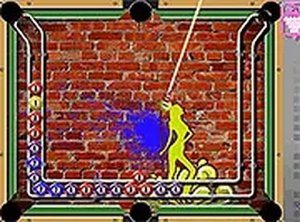
Color Ball Shoot Puzzle is an engaging online arcade puzzle game that tests your ability to match colors with precision. The core concept is simple: you are presented with a target pattern made up of different colors, and you must shoot colored balls to recreate that pattern. Each level introduces a new arrangement, requiring you to think carefully about the order and placement of each shot. The game combines the fast-paced feel of arcade action with the deliberate planning of a puzzle, making it a unique and satisfying experience.
How to Play
Use your mouse or keyboard to aim the shooter at the target area. Click or press to launch a colored ball. Your goal is to match the pattern shown on the screen by placing the correct colors in the correct positions. Each level has a specific pattern that you must replicate. Plan your moves carefully because each shot uses a ball from your supply. If you run out of balls or make a mistake, you may need to restart the level. The game provides feedback on your progress, so you can see which parts of the pattern are complete. Take your time to aim accurately and adjust your strategy as needed.
Game Features
Color matching puzzles that require logical thinking. Arcade-style gameplay with smooth controls. Full screen mode for better immersion. Free to play online with no download required. Suitable for all ages. Desktop optimized for mouse and keyboard. With 50 levels to complete, there is plenty of content to keep you entertained.
Tips for Success
Plan your shots carefully before firing to avoid wasting balls. Observe the target pattern and decide the best order to place colors. Practice aiming to improve your accuracy over time. If you get stuck, take a break and return with a fresh perspective. Use the full screen mode to minimize distractions. Learn from mistakes by noting which strategies work best for each pattern.
❓ Having issues?
✅ This game supports: - Desktop browsers (Chrome, Edge, Safari) - Mobile browsers (Chrome on Android, Safari on iOS) ❌ Does NOT support: - Internet Explorer - Very old browser versions 👉 Try refreshing or updating your browser