Arena Clash: 3D Mini Adventure

Arena Clash: 3D Mini Adventure

Action
RATING
Developer: Purple Core Studios
Published: 2024-06-04
Updated: 2026-06-25

Reviews

Arena Clash: 3D Mini Adventure is a delightful arena game that combines exploration with competitive multiplayer. The large map encourages resource gathering and strategic play, while character upgrades and skins add personalization. The horizontal screen mode enhances immersion, making each match exciting. It's a safe, family-friendly option for those who enjoy action games without mature content.

Description

Game Introduction

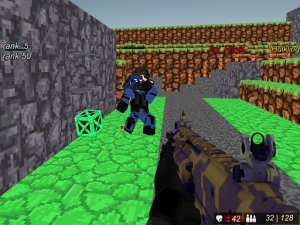
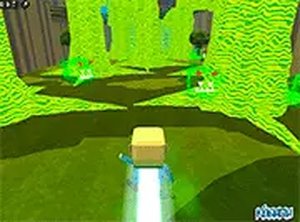
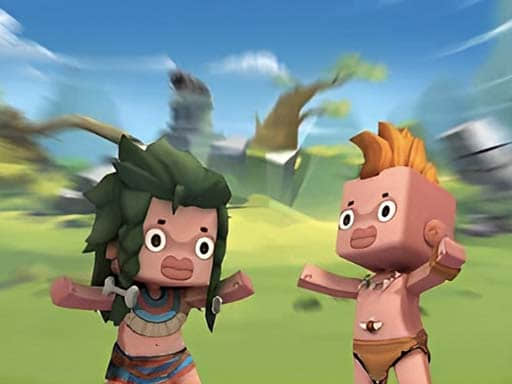
Arena Clash: 3D Mini Adventure is an exciting 3D action game that brings a mini-world character to life. Players enter a vibrant arena where they can explore a large map, collect resources, and engage in real-time multiplayer matches. The game emphasizes fast-paced, family-friendly fun with a horizontal screen mode that enhances the challenge. With a focus on character upgrades and skin collection, Arena Clash offers a safe and enjoyable experience for players of all ages who enjoy competitive arena-style gameplay.

How to Play

To play Arena Clash, start by selecting your character from the available options. Use the on-screen controls to navigate the huge map, gather resources, and upgrade your character's abilities. Compete against other players in real-time multiplayer matches, using strategy and skill to outmaneuver opponents. The horizontal screen mode provides an immersive view, making each encounter more thrilling. As you progress, you can unlock and equip various skins to customize your character's appearance and stand out in the arena.

Game Features

Arena Clash includes real-time multiplayer matches where you can challenge players from around the world. The game offers a huge map to explore, allowing you to discover resources and hidden areas. Character upgrades let you improve your abilities over time, and a variety of skins can be collected and equipped to personalize your character. The horizontal screen mode is designed to deliver an engaging and immersive gaming experience.

Tips for Success

To succeed in Arena Clash, practice navigating the map efficiently to gather resources quickly. Focus on upgrading your character's abilities to gain an edge in battles. Learn the layout of the arena to anticipate opponent movements and plan your strategies. Collect and experiment with different skins to find ones that suit your playstyle. Regular practice will help you improve your reflexes and decision-making during matches.

✅ Compatibility & Testing

• Desktop (Windows 11, macOS Ventura)
• Mobile (iPhone 14, Samsung Galaxy S23)
• Tablet (iPad Pro, Android tablet)
✅Supported browsers: Chrome, Safari, Edge, Firefox (latest versions)
❌ Not supported: Internet Explorer, older browser versions
Faq
Is Arena Clash free to play?
Yes, Arena Clash is free to download and play. The game may offer optional in-app purchases for cosmetic items like skins or boosts, but these are not required to enjoy the full experience.
Can I play Arena Clash offline?
Arena Clash requires an internet connection for real-time multiplayer matches. However, some features like exploring the map or practicing with bots may be available offline, depending on the game's design.
What platforms is Arena Clash available on?
Arena Clash is typically available on mobile devices such as iOS and Android. It may also be available on other platforms, but you should check the official app store for the most accurate information.
How do I unlock new skins in Arena Clash?
Skins in Arena Clash can be unlocked by completing challenges, earning achievements, or purchasing them through the in-game shop. Some skins may also be available as rewards for participating in special events.
Is there a single-player mode in Arena Clash?
While Arena Clash focuses on multiplayer matches, it may include a single-player mode where you can practice against computer-controlled opponents. This mode can help you improve your skills before competing against real players.
How do I report a player in Arena Clash?
If you encounter a player who is not following the rules, you can report them through the in-game menu. Look for a 'Report' button on the player's profile or after a match. The developers review reports to maintain a fair and friendly environment.
Advertisement