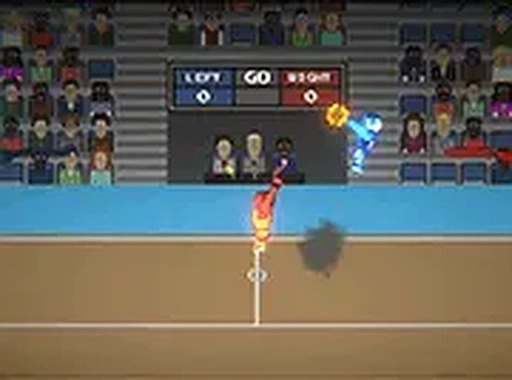
Dunkers Duel 2 Player Basketball

Dunkers Duel 2 Player Basketball

Basketball 2 Player Arcade
RATING
Developer: Star Wanderer Games
Published: 2024-06-28
Updated: 2026-06-26

Reviews

Dunkers Duel 2 Player Basketball delivers an exciting head-to-head arcade experience. The controls are easy to learn, making it accessible for players of all ages. The focus on timing and positioning creates engaging matches. It is perfect for quick sessions with friends. The family-friendly design ensures safe fun for everyone.

Description

Game Introduction

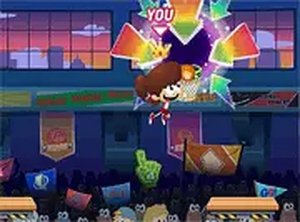
Dunkers Duel 2 Player Basketball is a two-player arcade sports game designed for desktop browsers. The core objective is to outscore your opponent by jumping high, grabbing the ball, and dunking it into the basket. This game emphasizes fast-paced competition and physical play, as players can also resist to keep possession of the ball. It offers a simple yet challenging experience for friends looking for a quick sports showdown. The game is family-friendly and safe for all ages, making it suitable for casual play sessions.

How to Play

In Dunkers Duel 2 Player Basketball, two players compete on the same keyboard. Player one typically uses the W, A, S, D keys to move and the Space key to jump, while player two uses the arrow keys to move and the Enter key to jump. The goal is to time your jumps and dunks to score points. You can also grab the ball from your opponent by pressing the appropriate keys, and if you have the ball, you can resist attempts to take it away. The game is all about timing and skill, and matches can be played in multiple rounds to determine the winner.

Game Features

This game offers a two-player local competitive mode, simple keyboard controls, and the ability to play directly in your browser without any downloads. It includes a full-screen mode for a more immersive experience and is free to play. The game is family-friendly and safe for all ages, making it suitable for casual play sessions with friends.

Tips for Success

Practice your timing for jumps and dunks to improve accuracy. Learn to anticipate your opponent's moves to steal the ball effectively. Use quick movements to create space for a clean shot. Play multiple rounds to adapt to your opponent's style and refine your strategy. Remember to stay calm and focused, as the game rewards precision over speed.

Compatibility

▸ Desktop: Chrome / Edge / Firefox / Safari
▸ Mobile: iOS Safari / Android Chrome
▸ Tablet: iPadOS Safari / Android Tablet Browser
Keep your browser updated for the best experience
Faq
Can I play Dunkers Duel 2 Player Basketball on mobile devices?
The game is designed for desktop browsers and uses keyboard controls. It may not be fully supported on mobile devices or tablets. For the best experience, play on a computer with a keyboard.
Is there a single-player mode in Dunkers Duel 2 Player Basketball?
No, the game is specifically designed for two players competing locally on the same keyboard. There is no computer opponent or single-player mode available. It is intended for head-to-head play with a friend.
How many rounds are in a typical match of Dunkers Duel 2 Player Basketball?
The number of rounds is not fixed and can be adjusted by the players. You can play a single round or multiple rounds to determine the overall winner. The game supports flexible match lengths.
Does Dunkers Duel 2 Player Basketball require an internet connection?
Since the game runs in a browser, an internet connection is needed to load the game initially. However, once loaded, the gameplay itself is local and does not require ongoing internet access.
Are there any in-game purchases or ads in Dunkers Duel 2 Player Basketball?
The game is free to play and does not require any purchases. It may include advertisements, as it is a free online game, but there are no pay-to-win elements or hidden costs.
Can I customize the controls in Dunkers Duel 2 Player Basketball?
The controls are preset for each player. Player one uses W, A, S, D and Space, while player two uses the arrow keys and Enter. There is no option to remap keys within the game.
Advertisement