Arcade Baseball Slugger

Arcade Baseball Slugger

Arcade Timing Reflexes
RATING
Developer: Lance Core Creations
Published: 2025-12-17
Updated: 2026-06-26

Reviews

Arcade Baseball Slugger delivers a pure, focused sports experience. The one-button control is intuitive, and the increasing speed keeps each round engaging. The pixel art style is charming and nostalgic. It's perfect for quick play sessions and chasing high scores. A solid choice for fans of casual arcade games.

Description

Game Introduction

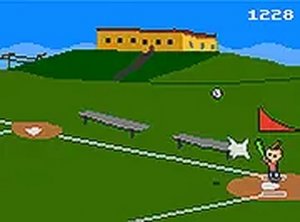
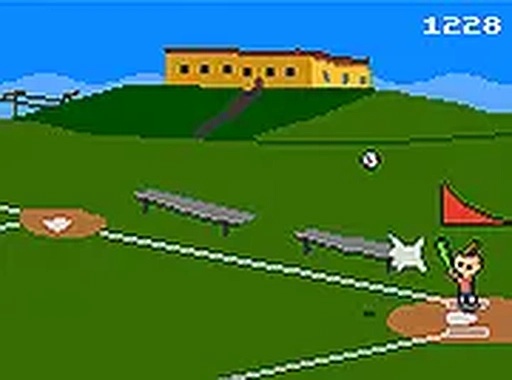
Arcade Baseball Slugger is a casual sports game that puts your timing and reflexes to the test. You take on the role of a batter waiting for the perfect pitch. The core objective is to swing at the right moment to hit the ball far and earn points. As you play, the ball speed increases, making each round more challenging. The game uses a simple one-button control, so anyone can start playing immediately. Its pixel art style gives it a classic arcade feel, and the lack of complex rules makes it ideal for quick gaming sessions. You can play directly in your browser without signing up or downloading anything. Whether you have a few minutes or want to chase a new high score, Arcade Baseball Slugger offers a straightforward and satisfying experience.

How to Play

Playing Arcade Baseball Slugger is easy. Use your mouse or keyboard to press a single button when the pitcher throws the ball. Your timing determines the quality of your hit. A perfect swing sends the ball flying far, while an early or late swing may result in a weak hit or a miss. Each successful hit adds to your score based on distance. You have three strikes before the game ends, so aim for consistent good hits. As you progress, the ball speed increases, making it harder to time your swing. The game also offers a full-screen mode for a more immersive experience. No tutorials or complex rules are needed. Just wait, click, and hit.

Game Features

Simple one-button controls that are easy to learn. Increasing difficulty that keeps the game challenging. Pixel art style that gives a nostalgic arcade feel. Full-screen mode for an immersive experience. No downloads or sign-ups required.

Tips for Success

To improve your performance, practice your timing by watching the pitcher's motion closely. Focus on hitting the ball at the center of the strike zone for maximum distance. Stay calm as the speed increases, and try to anticipate the pitch. Consistent practice will help you build muscle memory for better swings. Remember, each hit adds to your score, so aim for solid contact rather than swinging wildly.


Compatibility

▸ Desktop: Chrome / Edge / Firefox / Safari
▸ Mobile: iOS Safari / Android Chrome
▸ Tablet: iPadOS Safari / Android Tablet Browser
Keep your browser updated for the best experience
Faq
Can I play Arcade Baseball Slugger on my mobile device?
Yes, the game is designed for browser play and should work on most mobile browsers with touch input. The simple one-button control translates well to tapping on a phone screen. For the best experience, try playing in landscape mode.
Is there a leaderboard to compare scores with other players?
The game may include a local high score system that tracks your best performances during a session. Some browser games of this type also offer global leaderboards, but this feature is not guaranteed. Check the game interface for a score display.
How long does a typical game session last?
A single round can last from a few seconds to a couple of minutes, depending on your timing and how many strikes you accumulate. The game is designed for quick sessions, making it easy to play during short breaks. You can restart at any time.
Does the game have any sound effects or music?
Arcade Baseball Slugger likely includes classic arcade-style sound effects for hits and misses, as well as background music that fits the retro theme. Sound can usually be controlled or muted through the game interface. Check the settings menu if available.
Are there different difficulty levels to choose from?
The game features a gradual increase in difficulty as you play, with ball speed rising over time. There may not be separate difficulty settings to select at the start. The challenge naturally escalates, providing a progressive experience for all players.
Can I pause the game during a round?
Many browser games of this type include a pause feature that stops the action. If available, you can usually pause by pressing a key or clicking a button on the screen. This allows you to take a break without losing your current progress.
Advertisement