Description
Game Introduction
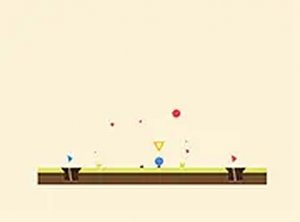
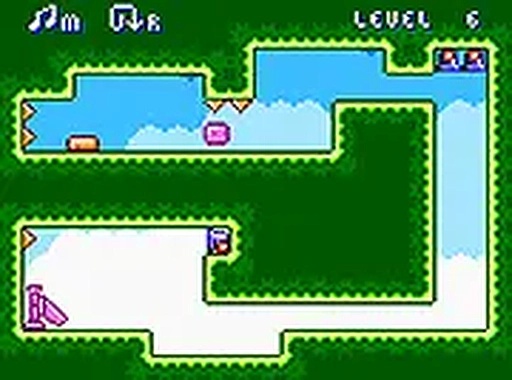
Mini Switcher: Gravity Puzzle Game Online is a browser-based puzzle adventure where you guide a small blob character through a series of levels. The core mechanic involves switching gravity to make the blob fall or rise toward the finish line. Each level introduces colorful enemies and obstacles that require careful observation and timing. The game combines simple controls with progressively challenging puzzles, making it suitable for quick gaming sessions. It is free to play and runs directly in your browser without any downloads.
How to Play
Players control the blob by switching the direction of gravity, causing it to move up or down. The goal is to navigate through each level and reach the finish line while avoiding enemies and obstacles. Enemies have distinct movement patterns that must be learned and anticipated. Timing is key, as players must decide when to switch gravity to avoid hazards and progress safely. The game is designed for desktop use and works best with a keyboard or mouse.
Game Features
Mini Switcher includes a series of levels with increasing difficulty, each featuring colorful enemies that behave differently. The gravity switching mechanic is the central puzzle element. After completing all levels, players unlock a speed run mode where they can race against the clock. The game is free to play, requires no downloads, and offers a full screen option for a more immersive experience. It is optimized for desktop browsers and uses simple, responsive controls.
Tips for Success
Observe enemy movement patterns before making your move, as each type behaves uniquely. Plan your gravity switches carefully, as mistimed switches can lead to obstacles. Practice each level to learn the layout and enemy routes, which will help you improve your timing. In speed run mode, focus on efficiency and minimal mistakes to achieve the best time. Taking a moment to assess the level before acting can save you from repeated attempts.
❓ Having issues?
✅ This game supports: - Desktop browsers (Chrome, Edge, Safari) - Mobile browsers (Chrome on Android, Safari on iOS) ❌ Does NOT support: - Internet Explorer - Very old browser versions 👉 Try refreshing or updating your browser