Description
Game Introduction
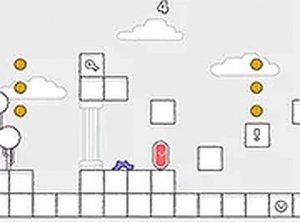
Gogi 2 is a delightful adventure arcade game set on a magical planet. Players guide a character through vibrant levels, collecting yellow points and overcoming new challenges. The core objective is to open portals to progress to the next stage. This game is available on Games and runs smoothly on various devices, including mobile phones and desktop computers. With its engaging gameplay and colorful graphics, Gogi 2 offers a fun and safe experience for players of all ages. No downloads are needed, and it is free to play, making it easy to jump into the adventure anytime.
How to Play
To play Gogi 2, use simple controls to move your character around the magic planet. Collect all the yellow points scattered across each level to unlock the portal. Once the portal opens, step through it to advance to the next challenge. The game is designed to be intuitive, so players can start having fun right away. You can play in full screen mode for a more immersive experience. Just open your browser on any device, visit Games, and begin your journey. There are no complicated instructions, making it perfect for quick gaming sessions.
Game Features
Colorful magic planet setting. Collectible yellow points that serve as level objectives. Portal-based progression system that unlocks the next stage. Full screen mode for an immersive experience. Cross-device play, supporting mobile phones and desktop computers. Free to play with no downloads required, allowing instant access through a browser.
Tips for Success
To succeed in Gogi 2, focus on collecting all yellow points in each level efficiently. Explore each area thoroughly to ensure you don't miss any points, as they are required to open the portal. Practice the controls to move smoothly and avoid obstacles. Playing in full screen mode can help you see more of the level. Take your time, as the game is designed to be relaxing rather than rushed. Regular practice will help you master each stage.
Compatibility
This H5 game runs smoothly on: • Desktop computers (Windows / Mac) • Mobile phones (iPhone / Android) • Tablets (iPad / Android) 🌐 Best experienced with Chrome, Safari, or Edge